
VisualARQ License Modes
VisualARQ has five license modes:
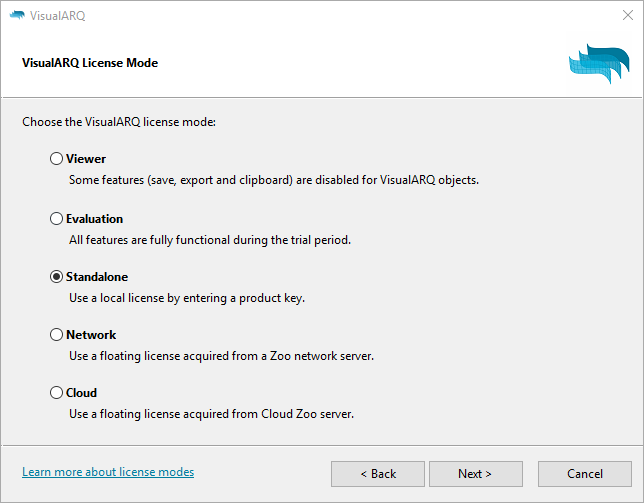
Viewer
VisualARQ runs in Viewer mode when the evaluation period has expired*. When this happens, you can open and save documents that contain VisualARQ objects, but some features are disabled:
- VisualARQ commands
- Edit VisualARQ objects using properties and control points.
- IFC import and export.
- VisualARQ Grasshopper Components.
*Note: The trial period is reset in each new VisualARQ major version, and 7 trial days are provided when a new Update within the same version is released.
Evaluation
All VisualARQ features are fully functional during the trial period. No product key is required.
Standalone
A valid product key is required to run VisualARQ in standalone mode. Buy VisualARQ to get a valid product key.
Network
Use a VisualARQ license acquired from the Zoo server.
Zoo server software with the VisualARQ Zoo plug-in (both free) lets you share VisualARQ licenses (product keys) among users on the same network workgroup.
When VisualARQ is installed as a workgroup node instead of stand-alone, it works like this:
- When a workgroup node starts, it requests a license from the Zoo.
- An unused license is assigned to the node.
- When a node shuts down, the license is returned to the Zoo license pool.
Download the VisualARQ Zoo plug-in here
Cloud
Use a VisualARQ license acquired from the Cloud Zoo server. The Cloud Zoo server is a free service provided by McNeel that lets you manage the VisualARQ license online.
- For individual users, use the Rhino Accounts login to use VisualARQ on any computer worldwide.
- For corporations and schools, Cloud Zoo can simplify license distribution. Organizations can create a pool of licenses and share the licenses with team members.
- Work online or offline. No need to check out licenses, so you should not be caught out on the road without a license.
- Licensing will even work without a constant internet connection.